vivi
Thanks for your help, “SameAsSource” works fine but 720p not, the app does get the param but it’s not recognized.
I try with space like other args and with “=” with no luck:
08.28 22:15:02.5(28808 0x8544)Critical error: EnumTypeUInt: no find enum EAiVideo registed Value "EAiVideo_720p" , plaase registValue first
And 4k is selected in the gui
Alex_Videoman
Sure, the exe I use is unifab64.exe, the same used to open the gui.
If you start it with “unifab64.exe –help” it will display help but not in console, in log, in the UniFab.log file, using W11 mine is in Documents\UniFab\Log
But the help displayed is not complete and do have some typos.
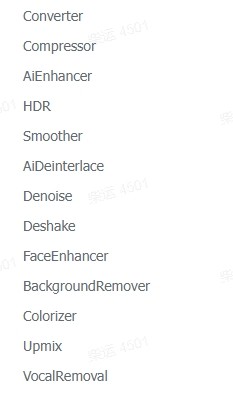
For example, I have found that “–WorkType AiDeinterlacer” does not work but “–WorkType AiDeinterlace” does work
Because it’s the gui executable, the gui do show up but with “–AutoStart true –AutoClose true” it open start and close on finish so that will do the trick for me.
Edit : Just find out the correct value, it’s not “720p” but “720P”
Edit2 : I just see that the AiDeinterlacer do have a resolution dropdown in the gui, can we change the value using command line ?